
Replace Live Services with OpenAPI Mocks from Real HTTP Traffic with Specmatic Proxy
By Naresh Jain
API proxy recording: Capture traffic, generate mocks, and simulate faults
When you need to test how a system behaves when a downstream API misbehaves, API proxy recording is a practical, low-friction approach. Instead of relying on the live service, you record actual traffic, generate a machine-readable contract, and spin up a mock that reproduces real responses and examples. This lets you simulate faults such as timeouts or slow responses for a single request while keeping other requests behaving normally—without changing production services.
Why use API proxy recording?
API proxy recording bridges the gap between brittle, environment-dependent tests and deterministic simulations. It captures real interactions between clients and services, producing an OpenAPI specification and example payloads automatically. From that starting point you can:
- Replace the real service with a deterministic mock quickly.
- Replay realistic responses in CI and local development.
- Apply fault simulations—like timeouts—on a per-request basis.
- Create an accurate contract to guide integration testing and consumer development.
How the workflow looks in practice
The core idea of API proxy recording is straightforward: put a proxy between the client and the downstream service, capture the traffic, then convert that traffic into both a specification and a mock server. The mock becomes a controllable stand-in for the downstream API.
Step-by-step API proxy recording workflow
Below is a condensed, practical sequence you can follow to convert live interactions into repeatable tests and fault scenarios.
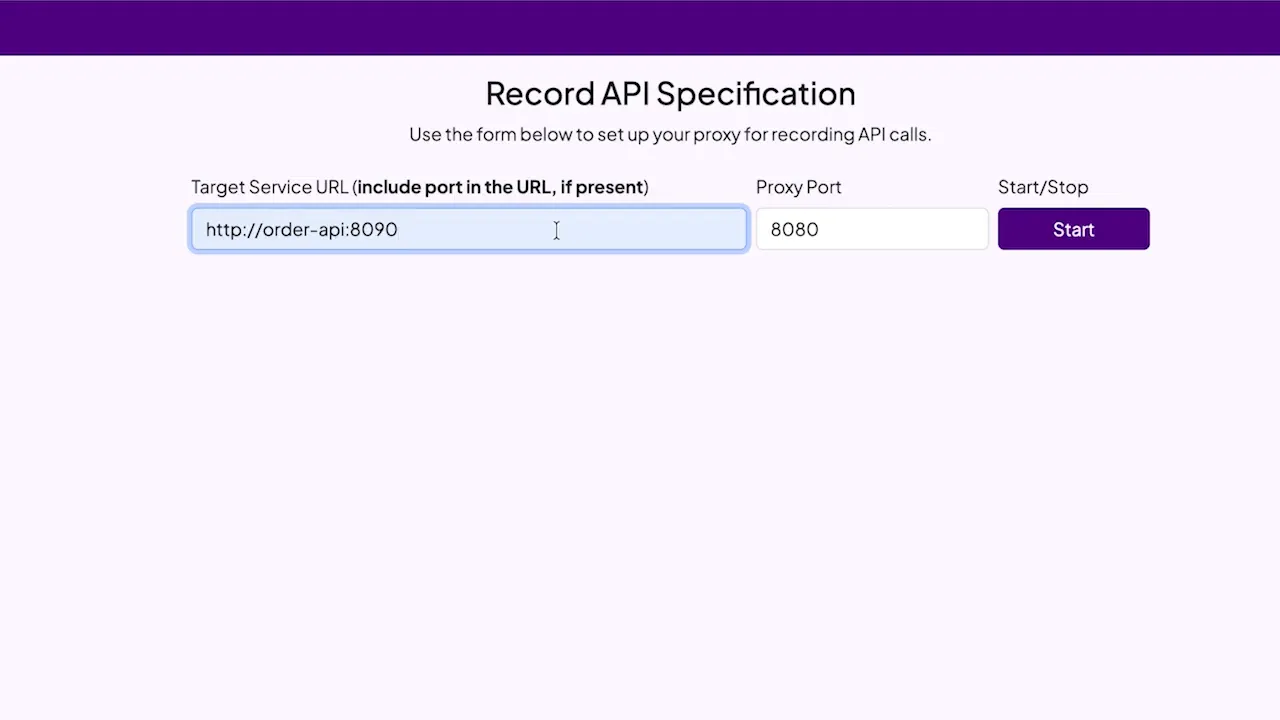
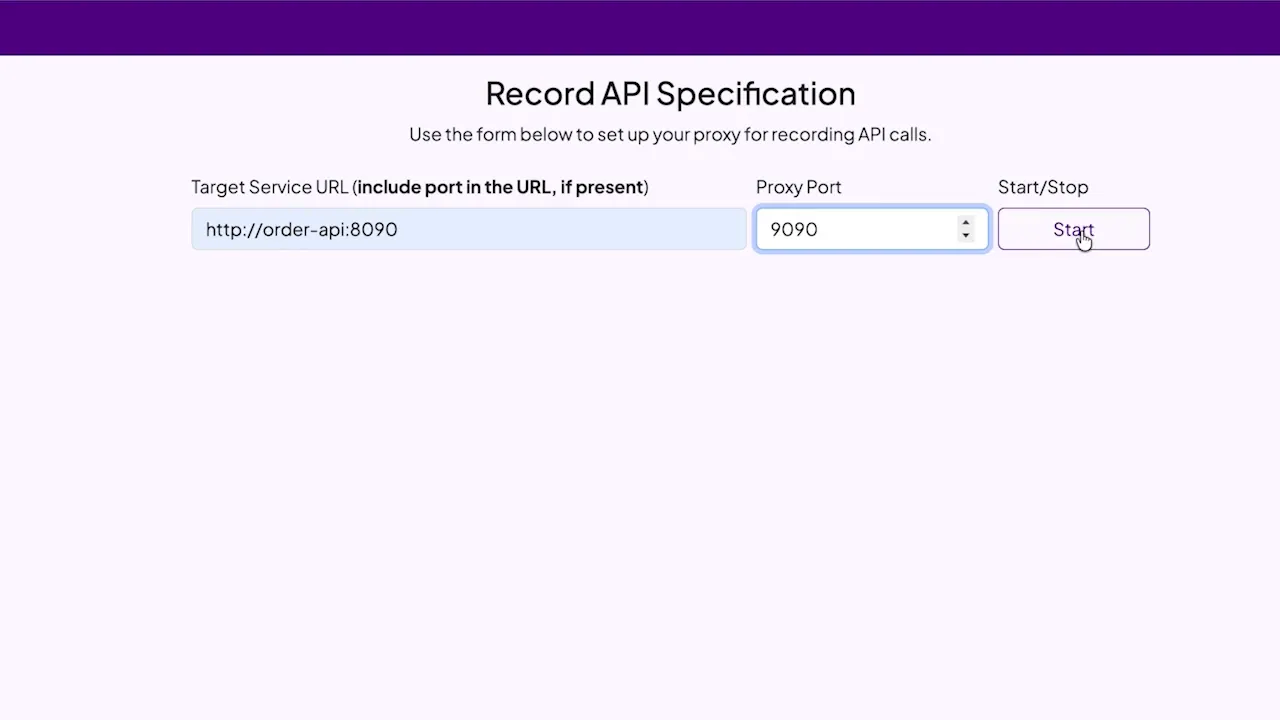
- Configure a proxy to listen on a chosen port. For example, run the proxy on port 9090 while your downstream service was originally listening on port 8090. Starting the proxy captures request/response pairs as traffic flows through.

- Redirect the client to the proxy. Change the client’s configuration so it calls the proxy instead of the real service. For a microservice architecture, this can be as simple as altering an environment variable or a host:port setting.
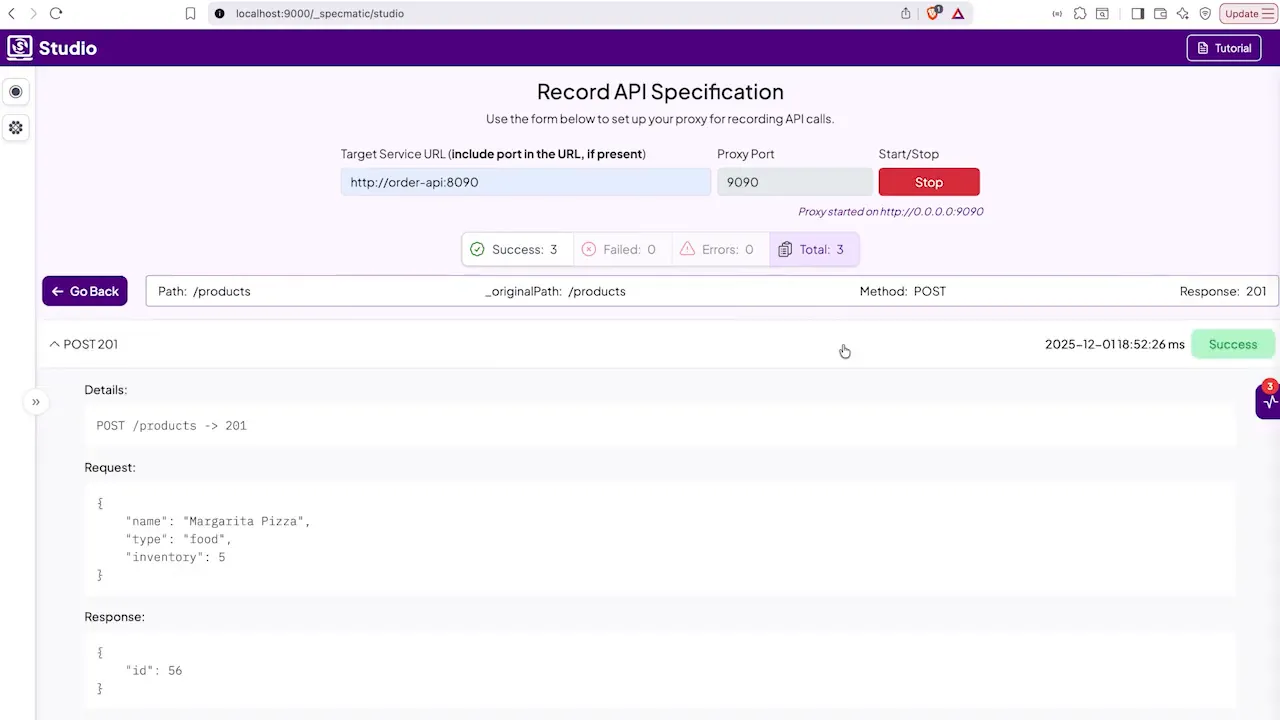
- Run your tests or exercise the client. With the proxy in place, execute the tests or flows that interact with the downstream API. The proxy will record all requests and responses, including headers and body examples.
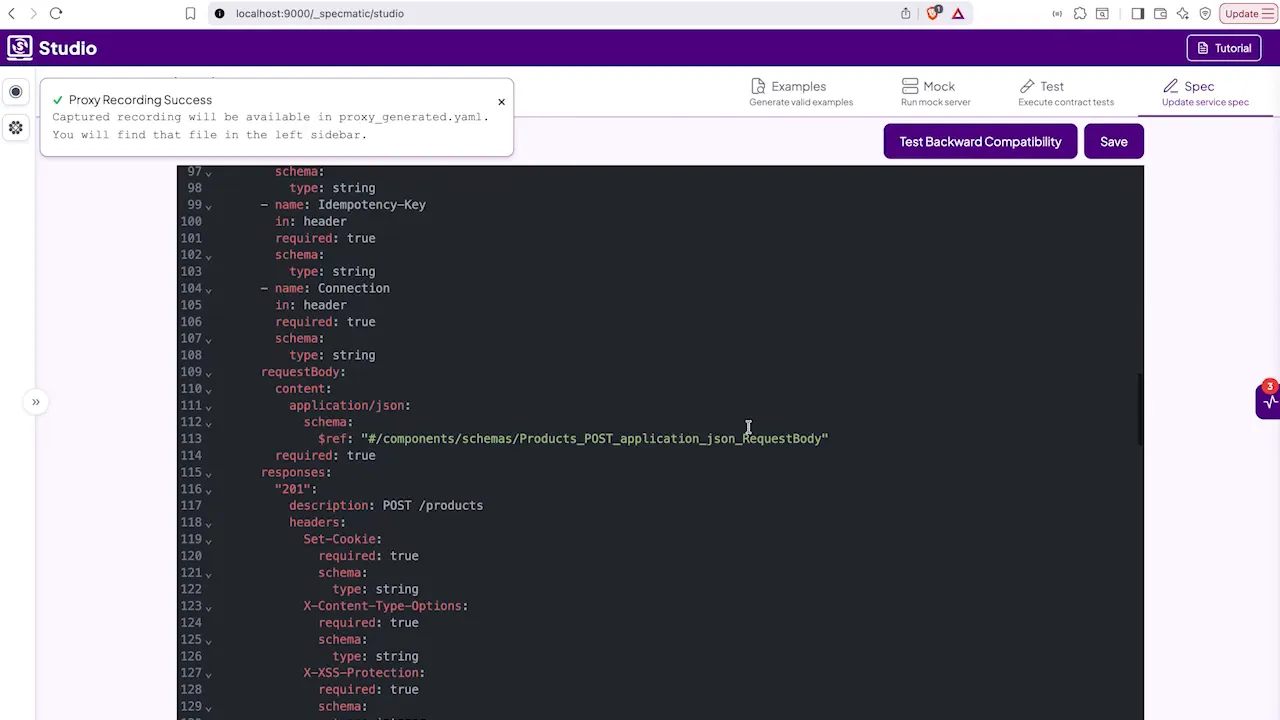
- Stop the proxy and generate artifacts. When you stop the recording, the proxy can generate an OpenAPI specification that describes the recorded endpoints and includes example payloads. This specification is a useful contract and a source of truth.
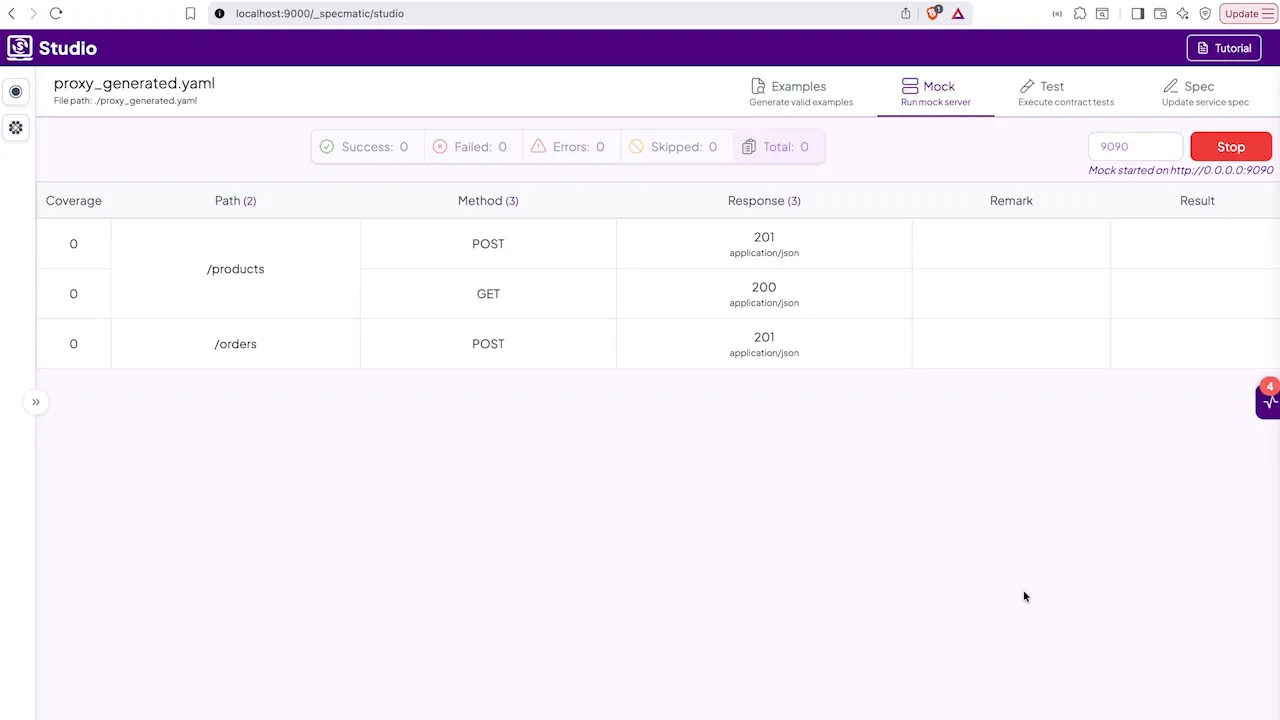
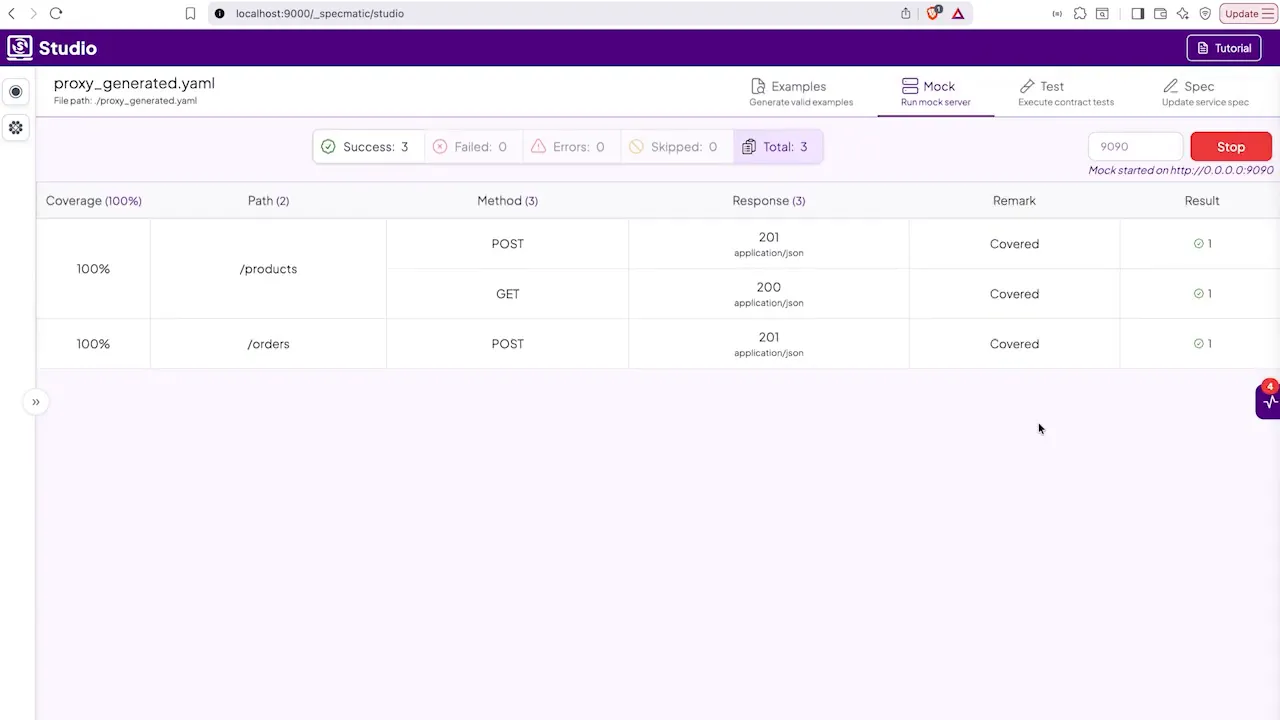
- Switch to a mock server. Use the generated specification and examples to spin up a mock server on the same port the proxy used. The mock can reply with the recorded responses and be configured to reproduce faults like single-request timeouts or custom error codes.
- Validate and iterate. Once the mock is running, you can stop the real downstream service. Run your tests again to verify behavior under both normal and fault conditions. The mock gives you precise control over timing and error scenarios so you can ensure resilience, observe retry logic, and confirm fallbacks.
Key benefits and practical tips
Replacing a dependency with a recorded mock is most powerful when paired with a few best practices:
- Record meaningful interactions: Capture a representative set of requests and edge cases so the generated OpenAPI and examples reflect real usage.
- Keep the mock configurable: Make it easy to change response codes, delays, and payloads for targeted fault injection.
- Use the mock in CI: Running tests against a mock makes CI deterministic and removes flakiness caused by network or downstream instability.
- Version the generated specification: Treat the OpenAPI output as an artifact and store it in the repo or an artifact store so it can be reviewed and reused.
- Limit scope for safety: Apply fault simulations only to the requests you want to test. The proxy-to-mock workflow makes it simple to reproduce a timeout for a single request while keeping all other traffic normal.
A good setup for API proxy recording also includes a short feedback loop: record, mock, test, refine. With each iteration the mock becomes more accurate and the tests become more trustworthy.
When to reach for API proxy recording
Use this approach when you need to:
- Introduce fault scenarios that are hard to reproduce on production systems, like intermittent timeouts.
- Enable parallel developer workflows without needing the real downstream to be available.
- Create a living contract for teams working concurrently on consumers and providers.
- Ensure CI environments are isolated from external service instability.
Common pitfalls and how to avoid them
Be mindful of a few traps that can undermine the value of API proxy recording:
- Recording sensitive data. Filter or redact credentials and personal data during recording and before committing generated artifacts.
- Overfitting to recorded examples. Include varied examples that cover success and failure cases so tests are robust.
- Forgetting to version contracts. Keep the generated OpenAPI under source control to avoid drift between mock and real service behavior.
Conclusion
API proxy recording is a pragmatic technique for creating realistic, controllable mocks from real traffic. It shortens the path from integration testing to reliable, repeatable simulations of both normal and faulty downstream behavior. By recording traffic, generating an OpenAPI-based contract, and running a mock server, teams can simulate timeouts, errors, and other edge cases without touching production services.
What is API proxy recording and how does it differ from manual mock creation?
API proxy recording captures actual request and response traffic between a client and a service, then generates a specification and examples automatically. Manual mock creation requires handcrafting endpoints and payloads, which can miss subtle behaviors recorded traffic will include.
Can I simulate a timeout for a single request while keeping other requests normal?
Yes. After recording interactions and generating a mock server, you can configure the mock to apply a timeout or delay to just the targeted request while leaving other responses unchanged.
Do I need the real downstream service after creating the mock?
No. Once the mock is running and validated, you can stop the real service and run tests against the mock. This makes tests stable and reproducible in CI and developer environments.
How do I avoid recording sensitive data?
Filter or redact sensitive fields during recording. Many proxy tools provide options to exclude headers or mask fields in bodies. Treat the generated artifacts as code and review them before committing.
Related Posts
By Naresh Jain
gRPC Flaws – The Illusion of Safety & Frustrating DevEx in Proto3’s Type-Safe Contracts
By Naresh Jain
Achieving Seamless DevEx: API Specification and Code Generation with API Genie
By Joel Rosario
API Resiliency and Contract Testing for GraphQL

By Naresh Jain
Contract Testing using OpenAPI Specs as Executable Contracts
By Hari Krishnan
WireMock’s Dirty Secret: Ignoring API Specs & Letting Invalid Examples Slip Through
By Naresh Jain
When Dependencies Timeout, Does Your API Shed Load with 429 Responses?
By Yogesh Nikam
Contract Testing using gRPC Specs as Executable Contracts
By Naresh Jain
When Downstream Services Lag, Does Your API Gracefully Accept with 202 Responses?
By Jaydeep Kulkarni
Curate, Validate and Publish an MCP Server from an OpenAPI Spec with Specmatic Genie

By Yogesh Nikam